WordPress training usually leads to faster results than DIY learning because it provides structured guidance and direct feedback. However, that doesn’t automatically mean it’s the right choice for everyone. Some learners move quickly through self-study, while others lose weeks figuring out hosting setup, themes, and plugins on their own.
The right option depends on how you learn and what you’re trying to achieve. If your goal is to launch a working website quickly, structured training can shorten the learning curve. DIY learning, on the other hand, offers flexibility and lower costs but may involve more trial and error.
In this guide, we’ll compare WordPress training vs self-learning in terms of speed, depth, and practical outcomes. By the end, you’ll know which path is more likely to get your website live quickly.
What “Faster Results” Actually Means for Your WordPress Website
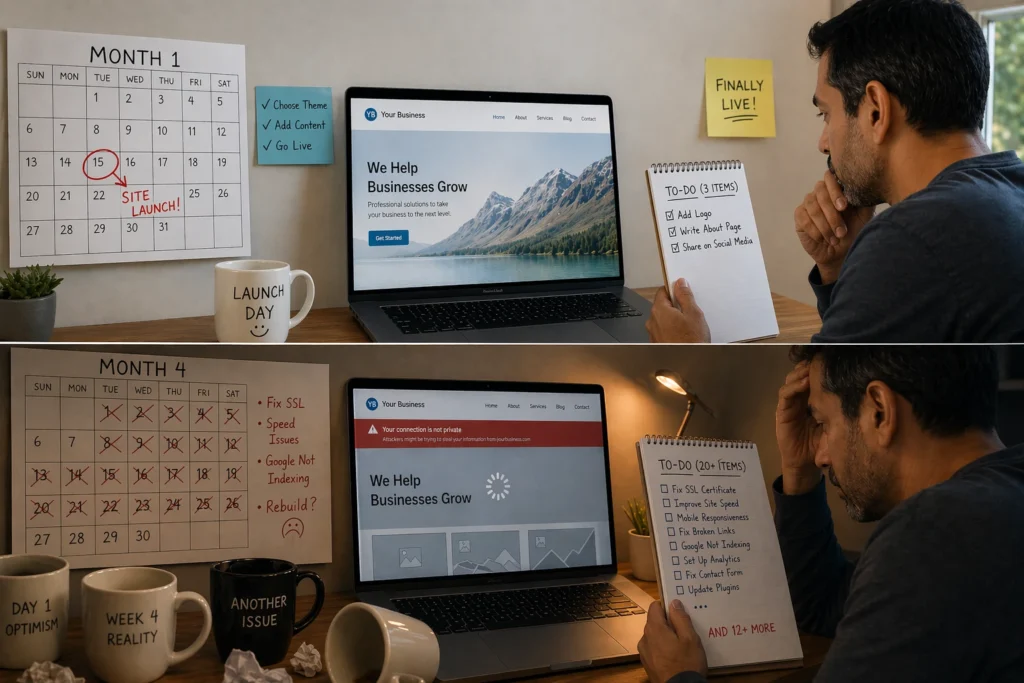
Faster results mean having a fully functional WordPress website that is secure, SEO-ready, and ready for real visitors. This typically includes:
- Proper theme setup
- Essential plugins configured correctly
- Search-friendly site structure
- Basic security measures
- Good performance and load speed
- A working backup system
- Reliable functionality from day one
Simply getting a site “live” without these elements means you’ll spend months backtracking to fix foundational problems.
For example, a South Bank retailer we worked with launched their online store in two weeks using DIY tutorials. Three months later, they came to us because the site loaded slowly, had no SSL certificate, and Google wasn’t indexing any of their product pages. Eventually, they had to rebuild the site from scratch, which ended up costing more time and money than setting it up properly from the beginning.
That’s what “faster results” really means: a site that works properly from day one rather than one that needs constant fixes later.
Learning WordPress on Your Own: Timeline and Results
Self-learning WordPress means figuring things out through free tutorials, documentation, and trial-and-error. How long this takes depends on your tech background and how much time you can dedicate each week. Someone comfortable with computers might get a basic site running in about a month. In contrast, complete beginners often take three to four months just to understand the WordPress dashboard and theme settings.
In practice, this approach builds basic capability quickly but leaves gaps in more advanced WordPress skills.
Video Tutorials and Free Resources: The DIY Path
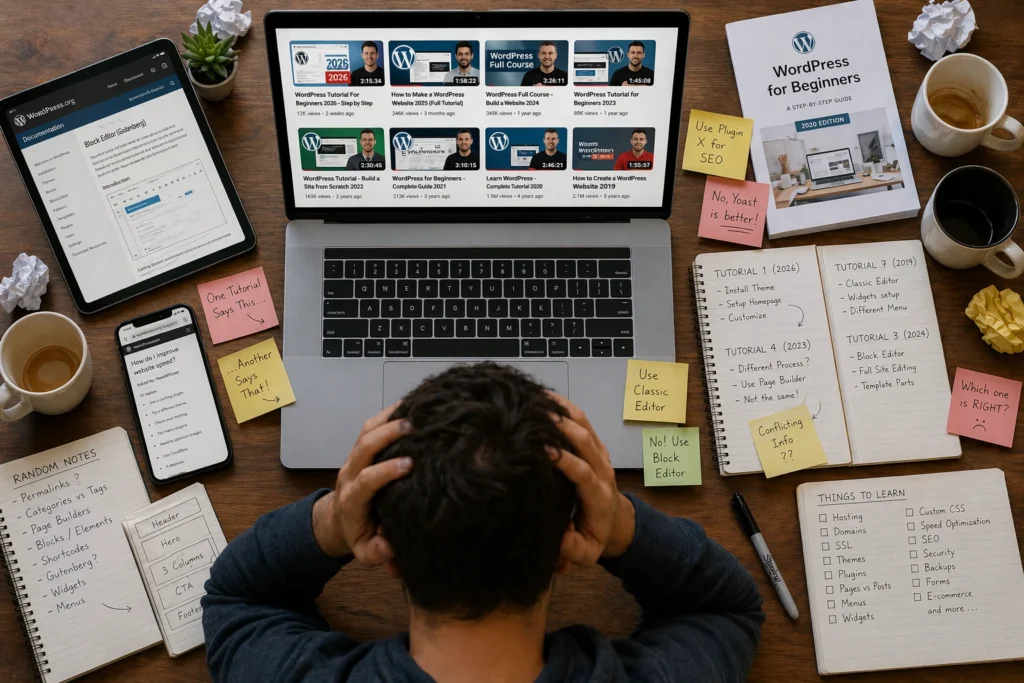
YouTube has thousands of WordPress tutorials, but they’re rarely organised in a clear learning sequence. You might watch a video on building a homepage, then another on plugins, only to realise you never learned how to properly install or structure WordPress. Many tutorials are also outdated (especially when it comes to block themes versus classic themes).
Even structured free courses from platforms like WordPress.org or LinkedIn Learning still require you to combine multiple sources to get a complete picture. As a result, learning becomes fragmented, and you often end up focusing on advanced features before understanding basics like site security, structure, and performance.
What You’ll Know After 3 Months of Self-Learning
Most self-learners can get a basic WordPress site live within three months of part-time effort at their own pace. However, skills like custom CSS, performance optimisation, and proper backup systems usually remain out of reach at this stage. That’s because tutorials focus on getting your site working rather than on how WordPress functions underneath. So when something breaks or needs customisation beyond basic settings, you hit a wall.
Structured WordPress Training: From Zero to Launch
WordPress has grown beyond a simple blogging platform and now powers about 42.5% of all websites globally. That scale has created a huge ecosystem with thousands of themes, plugins, and customisation options, which can feel overwhelming for beginners learning on their own.
Structured training cuts through the overwhelm by guiding learners through a planned, step-by-step curriculum instead of relying on scattered tutorials. Online courses and workshops typically cover everything in sequence, from initial setup to security, performance, and publishing. This structured approach gets you from zero to a functioning WordPress website in about 4–6 weeks, compared to the 3–4 months most self-learners need.
You also get feedback when you make mistakes, so issues are corrected early instead of compounding over time.
The Skill Gap Between DIY Learning and Training
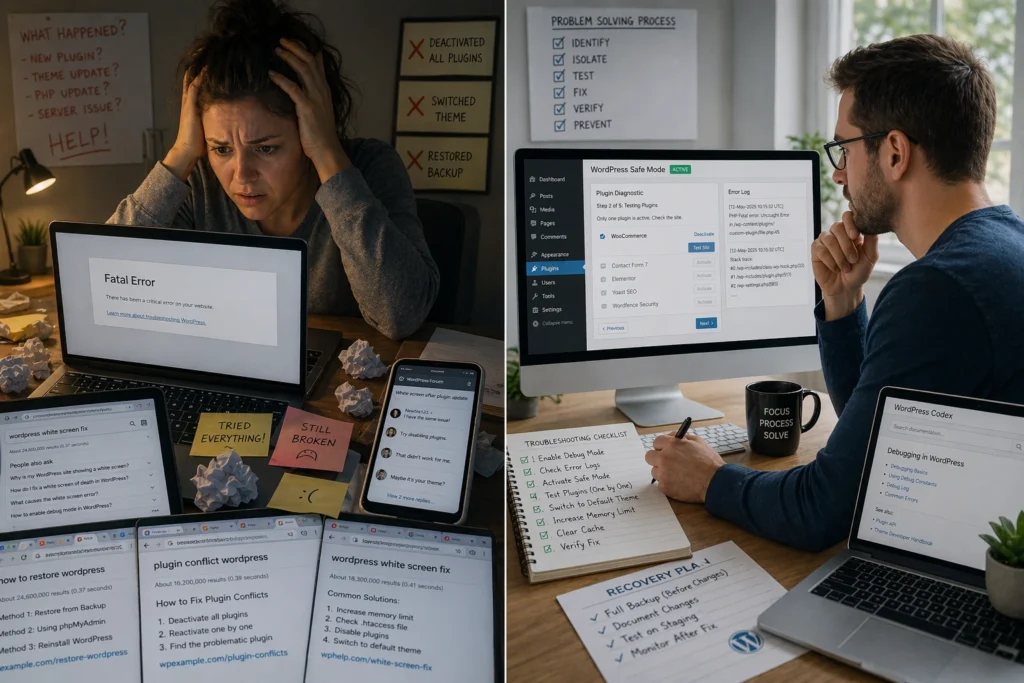
Most self-taught WordPress users can build a working site. But when something breaks, needs customising, or has to scale beyond a basic setup, that’s where the gap between self-learning and structured training shows up. This becomes clear in several areas:
- Diagnosing Problems Instead of Guessing: Without training, a broken plugin usually means reinstalling everything and hoping it fixes itself. With it, you know how to read error logs, test changes in isolation, and find the cause before wasting hours on the wrong fix.
- Customising Beyond Theme Presets: Self-learners are usually limited to built-in theme settings, which restrict layout and design flexibility. Training changes this by teaching you how block themes are structured, so you can adjust layouts, spacing, and page structure without depending on a developer.
- Building Advanced Features: Custom post types, membership systems, or automated workflows require understanding how WordPress stores and processes data. Without that foundation, you’ll hit a ceiling where paying someone else becomes the only option.
What separates the two paths is not setup speed, but what you can handle once the site becomes complex.
Budget Trade-offs: Free Learning vs Paid Training
Free video tutorials and WordPress.org documentation cost nothing upfront, making self-learning attractive when budgets are tight.
The real cost, however, is the time spent searching for answers, troubleshooting issues, and redoing work that wasn’t understood correctly. If you’re spending 10–15 hours a week learning without steady progress, that’s time not spent generating revenue (especially for business owners who need results sooner).
In contrast, paid WordPress training typically costs between $500 and $2,000, but it replaces that uncertainty with structure and direction. For example, a small business that delays launching an online store for three months while learning on its own may lose substantial early revenue opportunities. However, someone building a personal blog with no financial pressure can afford to learn slowly without the same cost of delay.
In the end, the decision often comes down to weighing the course price against the cost of delaying your project.
Which Path Gets Your Own Website Live Faster?
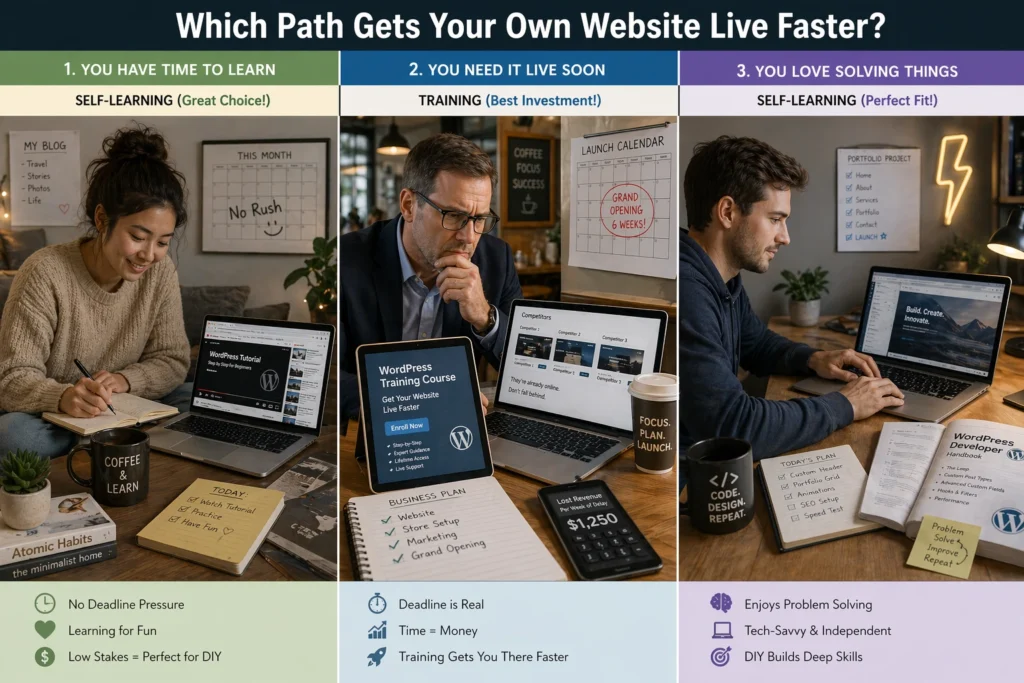
Training generally gets you to a working website faster, but the right choice depends on your time, confidence, and urgency. Let’s look at when each path makes sense.
When Self-Learning WordPress Works Best
Self-learning works best if you’re tech-confident, can commit 10 hours a week, and aren’t in a rush. It suits hobby projects or personal blogs where launch timing doesn’t affect income. You’ll need patience for trial-and-error and the ability to solve problems through forums and documentation.
For instance, if you’re testing a personal blog idea, you can take your time experimenting with themes, plugins, and layouts without worrying about business consequences.
When WordPress Training Gets You There Quicker
Training is faster when you need a professional website live within 1–2 months for business purposes. It’s also helpful if you’re not confident with the technical setup or want direct guidance while building.
Small business owners launching online services or stores benefit most here. Structured training removes guesswork and helps you implement key features like payments, SEO setup, and performance optimisation much earlier than DIY learning.
Start Learning WordPress Based on Your Timeline
Both paths lead to a working WordPress website, but they differ in speed and structure. Training gets you there quickly through guided steps, while self-learning takes longer but offers more flexibility.
Choose based on your timeline and what’s at stake. If revenue depends on speed, training is the better investment. Otherwise, self-learning is fine as a slower, lower-cost option.
If you’re ready to start building with clear direction, DPR Conference offers structured WordPress training designed to help Brisbane businesses and individuals launch faster.
Get in touch to learn more.